

Applications
Purpose
Section titled “Purpose”Applications represent the deployable units you run containers for.
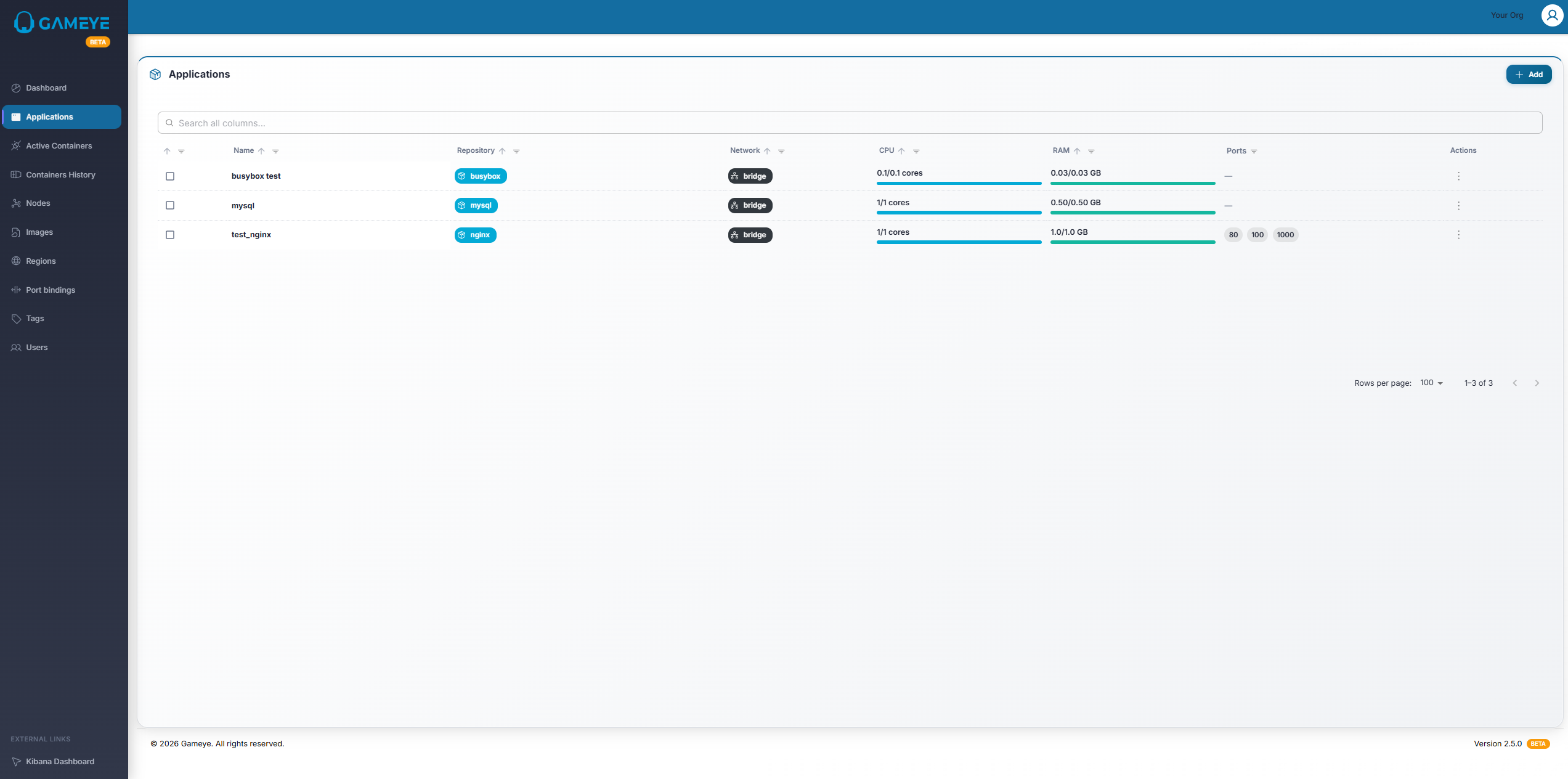
What you see on the Applications page
Section titled “What you see on the Applications page”A table that typically includes:
- Name
- Repository (if configured)
- Network (mode)
- CPU and RAM (reserved vs limit)
- Ports (one or more exposed container ports)
Common actions
Section titled “Common actions”Depending on your access, you may be able to:
- View details: Open the application details page.
- Add: Create a new application.
- Edit: Update an existing application.
- Clone: Create a new application based on an existing one.
- Delete: Remove an application.
- Mass Edit / Update Tags: Apply changes to multiple selected applications.
How to: find an application
Section titled “How to: find an application”- Open Applications.
- Use Search to filter by name.
- Sort by Name if needed.
How to: edit an application
Section titled “How to: edit an application”- Open Applications.
- Select the row action Edit (if available).
- Update fields.
- Save.
Tips / common situations
Section titled “Tips / common situations”- If you don’t see Add or Edit, you likely have view-only access.
- Mass actions appear only after you select one or more applications.